1
The principal creates the school
Free sign-up in a minute: school name, city, academic year. The principal becomes the first user, with full rights.
One platform connecting the principal, supervisor, teacher, student and parent. The teacher passes the class cards in front of the camera, and the parent is notified automatically of the absence — with no phone in the student’s hand.
From sign-up to your first digital attendance sheet in under ten minutes.
Free sign-up in a minute: school name, city, academic year. The principal becomes the first user, with full rights.
The principal adds teachers, the supervisor, classes and the timetable, then prints an activation code for each one. Everybody chooses their own password — the principal never sees it.
Each staff member enrols the students of their classes, links them to their parents, then prints the class cards in one batch. Accounts work immediately.
They open the scanner and pass the cards one by one. Each card is recorded on the spot; whoever is left is marked absent on closing, and the notification reaches the supervisor and the parent at once.
Going digital is not the point. These are five things your staff live through every day, before and after.
Far more than a digital register — a complete attendance management system.
The card carries no name, no Massar code and no internal identifier — only a random token, so a photograph of the card is not enough to impersonate its holder. A lost card is revoked and replaced in a second, and the old one becomes inert.
Past the configured delay, a student is marked late with the exact number of minutes — no teacher input needed.
Parents learn about an absence or a late arrival as it happens, not at the end of the term.
Families upload the medical certificate from their phone; the supervisor accepts or rejects and the register updates itself.
Rates by class, subject, teacher and period — exportable to Excel and printable as they are.
Everyone sees only their own scope: teachers their classes, supervisors their sector, parents their children.
Arabic, French and English at one click, with full right-to-left and left-to-right support.
If scanning is not possible, the teacher marks attendance by hand from the same session sheet. A second route stays available if the school enables it: a temporary session code the student enters themselves.
Five distinct interfaces, each designed around its user’s daily work.
Runs the school by the numbers: rates, reports, classes, staff and attendance rules.
The heart of daily follow-up: absences, lateness, justifications and family contact.
Passes the class cards in under two minutes and gets back to teaching, with an accurate sheet per session.
Carries their school card and follows attendance, timetable and history.
Stays informed about their children’s attendance without a trip to school.
Real screens your team will be using every single day.
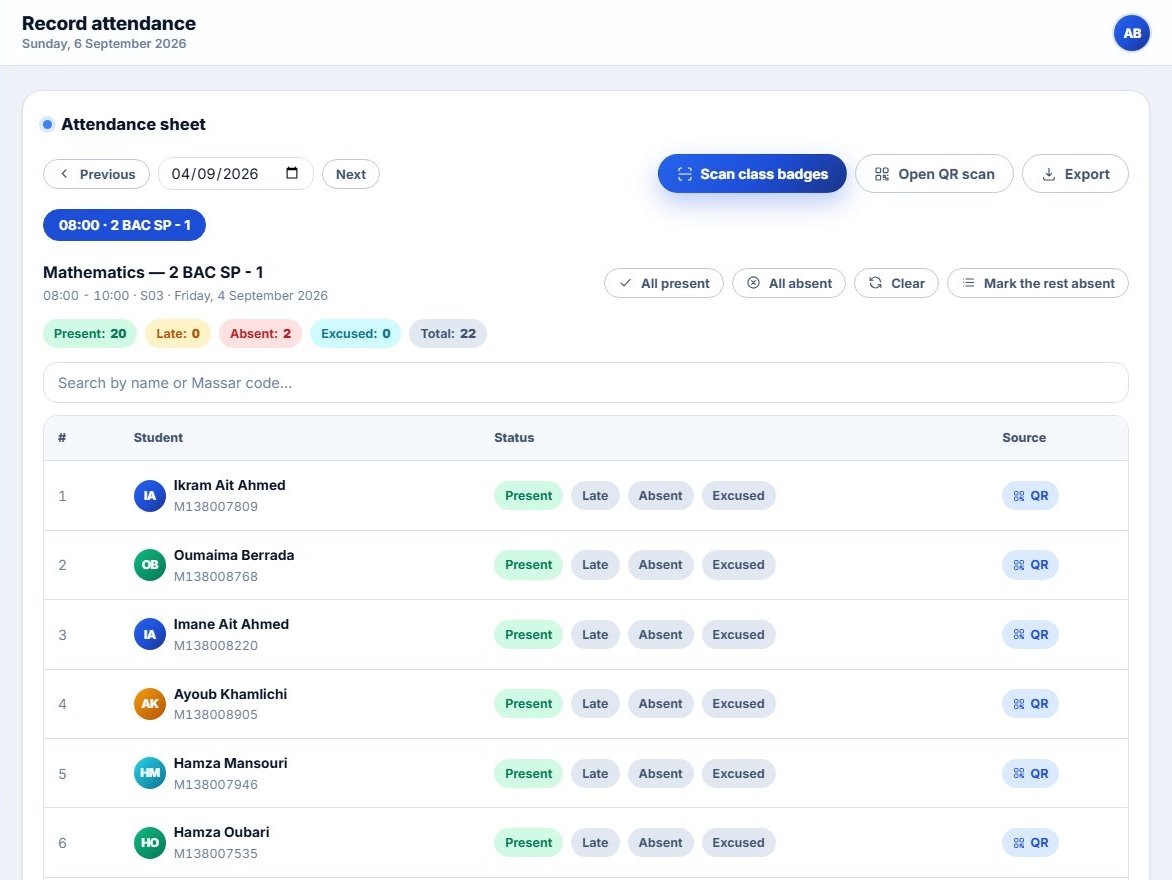
One button to scan the class cards, four statuses per student, and a column showing where each entry came from: scan or manual.
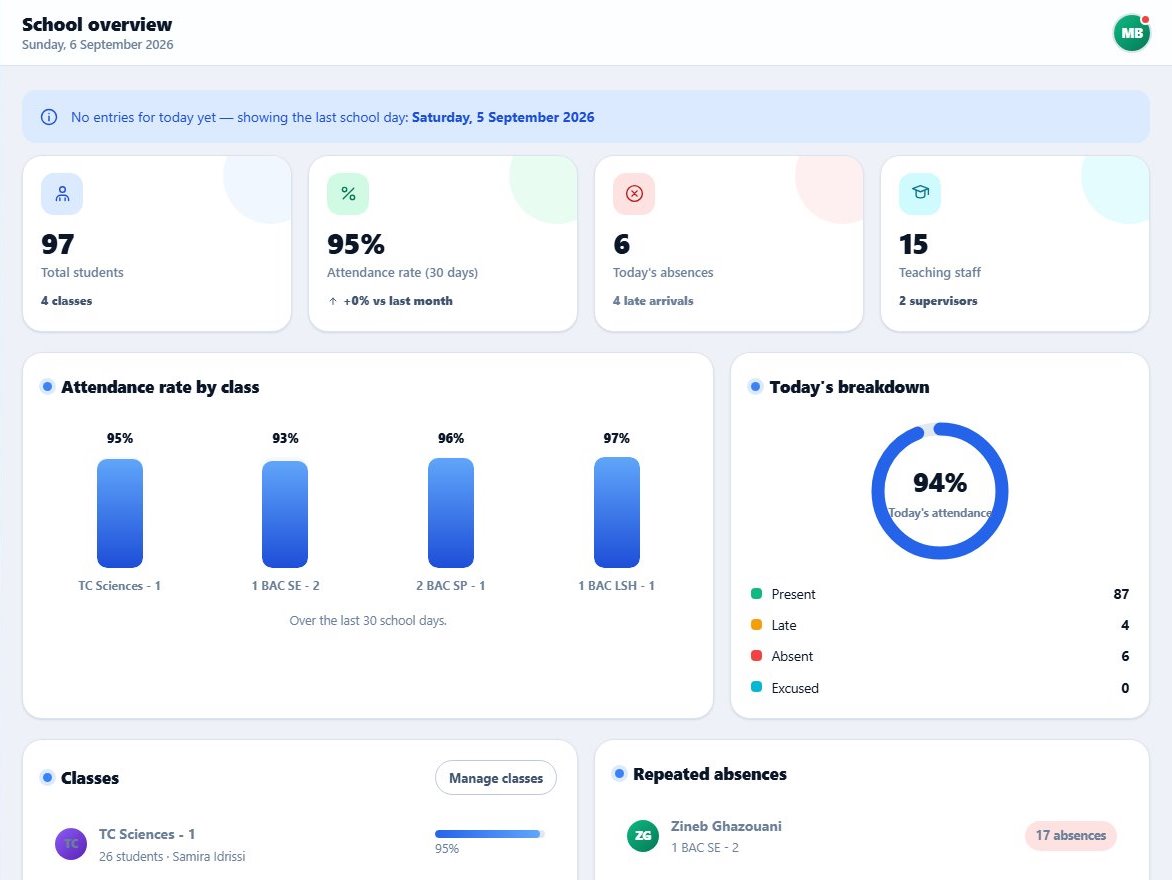
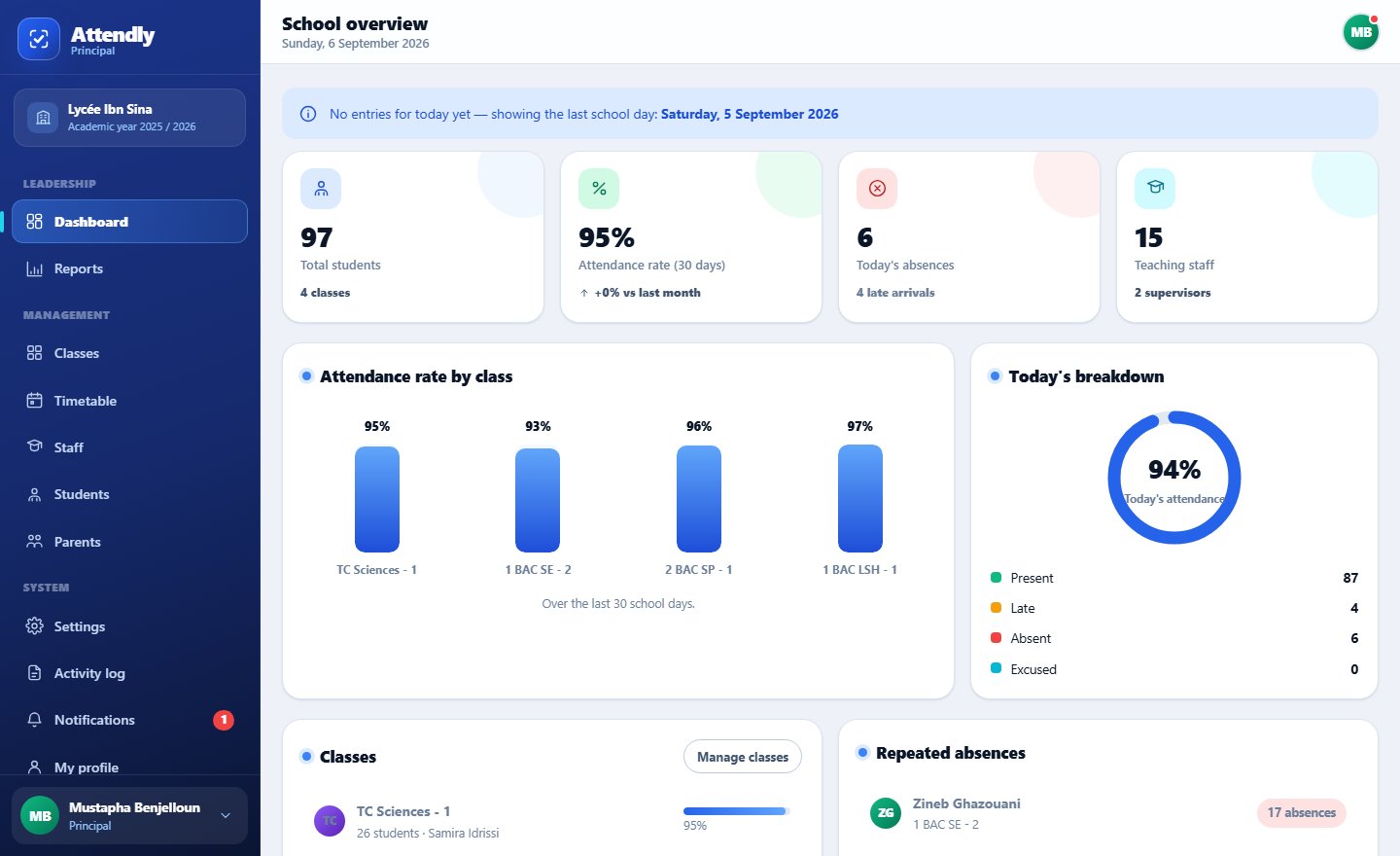
Today’s absences, cases needing action, and attendance rates at a glance.
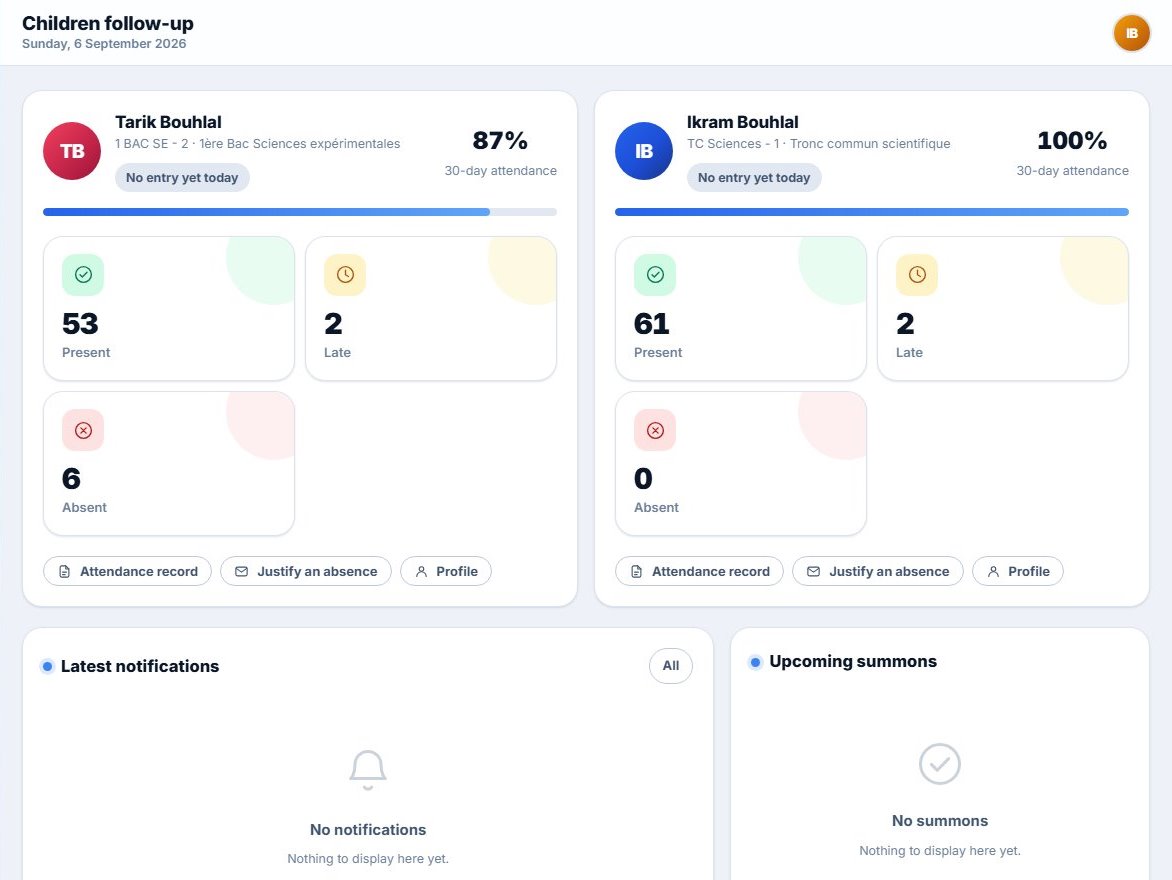
Today’s status, the attendance rate, and notifications from the first absence.
These are not marketing promises. Every line here is written into the database itself, not into the interface.
Isolation is enforced by Row Level Security policies inside Postgres, not by a condition in the front end. Even if the interface gets it wrong, no query reaches a row belonging to another school.
Teachers see their classes, supervisors their sector, parents their own children. The database refuses the rest.
Login attempts are recorded and throttled, the account locks temporarily after repeats — and the message never reveals which of the two fields was wrong.
Entries are kept on the device and synced when the network returns. No session lost to a dead connection.
Attendance, rates and reports export to Excel and print at any time. Nothing is held hostage.
The card carries a random token — no name, no Massar number. Photographing it reveals nothing.
One price for the whole school — it does not move with the number of teachers or parents. Thirty days free, no bank card.
For a small school, or to start with two classes: the five portals, card scanning, in-app notifications and reports.
Up to 150 students
Start freeEverything in Essentiel, plus help with setup, card printing and priority support.
Up to 400 students
Start freeEverything in Standard, plus priority support. The daily grouped WhatsApp message is coming soon — not active yet.
Up to 800 students
Start freeEvery feature included in every plan — only the student count changes.
Thirty days free, no commitment. Payment by cheque or bank transfer against a compliant invoice. On the yearly plan: twelve months for the price of ten — two months free.
A larger school, or a group of schools? Above eight hundred students, or several schools in one account — we build a quote around your case. Request a quote
Illustrative examples of what the platform changes day to day for each role. The platform is at launch stage; no school testimonials have been collected yet.
Hours of paperwork gone. I open one dashboard in the morning and see the whole school before the meeting.
The parent alert matters most to me. We used to lose half the day on phone calls; now the alert goes out on its own and I can focus on the difficult cases.
I pass the whole class’s cards in under two minutes and start the lesson. Manual entry is still there for anyone who forgot their card, and that matters.
I now know the moment my son is late for the first period, and I can send the medical certificate from my phone without travelling in.
The per-subject reports helped me a lot in the class council. I would just like a direct PDF export.
Cannot find your answer? Get in touch.
Cheating is near impossible: the person holding the camera is the teacher or the supervisor, and the card is a physical document in front of them. Presenting an absent classmate’s card means doing so before a staff member who knows that class. On top of that, the card carries nothing that a photograph could forge, and a lost card is revoked and becomes inert.
No — and that is a foundational design decision, not a technical detail. Phones are banned or simply absent in most Moroccan middle and high schools, so the platform is built on a printed card scanned by a staff member. We work with the school as it is, not as we might wish it were.
The principal creates the school first, then adds teachers and the supervisor. After that, the supervisor and teachers add students and link them to their parents. Activation codes are then printed with the cards: everybody activates their own account and picks their own password, so no password ever passes through the office. Students sign in with their Massar number, parents with their phone number.
Yes, for recording attendance. If the network drops in class, entries are held on the device and sent automatically as soon as the connection returns — the teacher loses nothing. Creating accounts and running reports do require a connection.
Data is held on a secure server over an encrypted connection, and passwords are hashed — never stored in readable form. Every user sees only their own scope, and each school’s data is fully isolated: that isolation is enforced in the database itself, not just in the interface. The full detail is in the privacy policy.
The trial is free for thirty days, with no commitment and no bank card. After that a flat price for the whole school: 290 DH a month up to 150 students (Essentiel), 490 up to 400 (Standard), 790 up to 800 (Pro). On the yearly plan: twelve months for the price of ten — two months free. Payment is by cheque or bank transfer against a compliant invoice.
Yes. Open “Scan class badges”, put the cursor in the manual entry field at the bottom of the window, then pass the cards one by one: an external scanner behaves like a keyboard and ends each card with Enter, so attendance is recorded straight away. The same field accepts a Massar code for a student who forgot their card. The scanner is not required though — the camera scans a whole class of cards with no extra hardware, and that is the recommended method.
Create your account, add your first class, print its cards and run a first session in under ten minutes.